
Dev Log Features Showcase FAQ Privacy Download

Dev Log

Track the latest updates and changes to ThoughtsPlus.

The Story So Far
Updated 18th, January 2026

ThoughtsPlus started as Calender Pro, a simple Python/Tkinter calendar app. In late 2025, it was completely rewritten in Electron + React + TypeScript and rebranded to Calendar+, then finally to Thoughts+ in December 2025 to reflect its evolution into a full productivity suite for developers and nerds.

Key milestones: AI-powered task parsing (Gemini/Perplexity), infinite whiteboard with sticky notes, unified workspace with notebooks & quick notes, GitHub integration, customisable dashboard widgets, advanced timer system, and weekly/monthly progress analytics.

What's Next

Microsoft Store release is live, making installation and updates seamless for Windows users. Following that, we're working on cloud sync for real time multi device access and mobile companion app (PWA).
V6.0.4 Pending
Coming Soon In Development
Update Rework

Improved update notification system to be more proactive about alerting users to new versions.

Improvements

  • More Aggressive Update Notifications – Update config was not sufficiently alerting users to new versions. Reworked the notification system to be more prominent.
V6.0.3 Latest
Jan 2026 Microsoft Store
Nerdbook Table Editing Fixes

Minor fixes for Nerdbook table handling, addressing multiple tables in cells and markdown paste functionality.

Bug Fixes

  • Multiple Tables in Same Cell – Fixed issue where editing any table would always modify the first one. Added table index tracking (0, 1, 2, etc.) during rendering and position-based substring replacement for accurate table updates.
  • Synchronized Regex Patterns – Ensured rendering and saving functions use matching regex patterns to find the same tables consistently.
  • Pasting Markdown Tables – Added detection for plain text markdown table syntax. When clipboard contains both HTML and plain text with markdown table syntax (| and ---), now uses plain text version instead of HTML conversion.

Technical Improvements

  • Replaced string.replace() with position-based substring replacement for multi-table scenarios.
  • Enhanced paste handler to detect and preserve markdown table formatting.
V6.0.2
Jan 2026 Microsoft Store
Auto-Launch Hotfix

Quick fix for the Windows Store auto-launch feature that wasn't working properly after v6.0.0.

Bug Fixes

  • Auto-Launch Path Fix – Fixed app.setLoginItemSettings() using incorrect executable path in development mode (was pointing to node_modules\electron\dist\electron.exe).
  • Development Mode Protection – Auto-launch setup now skips entirely in development mode to prevent conflicts.
  • Simplified Path Handling – Removed explicit path parameter, letting Electron automatically use the correct executable path.
V6.0.0
Jan 2026 Microsoft Store
The Workspace & Notebook Update

Zero-friction note system: capture thoughts instantly, write code and run it, use advanced markdown without knowing markdown. AI generates structure, you focus on content.

New Features

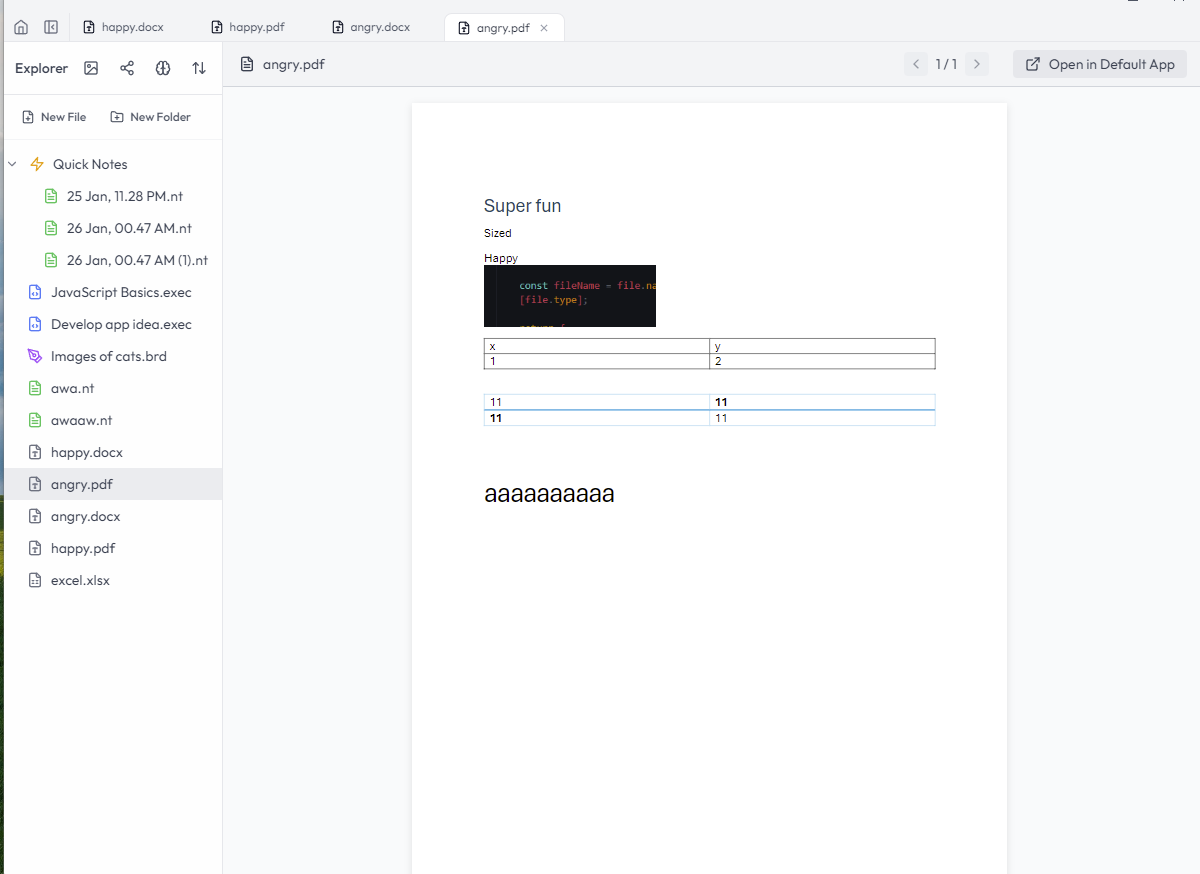
  • All-in-One Workspace – Unified note system with three file structures:
    • Boards (.brd) – Visual whiteboard experience (previous board feature)
    • Nerdbooks (.exec) – Jupyter-style notebooks with Obsidian-like linking, executable code cells
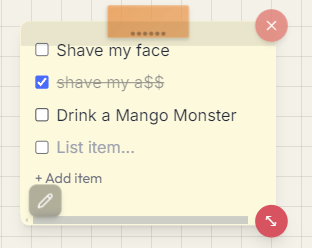
    • Quick Notes (.nt) – Instant capture via global shortcut, auto-saved to folder
  • AI Structure Generation – AI creates note backbones (headings, sections), you fill in the content.
  • Nerdbook Features – @ mention linking, markdown context menu, Python execution, syntax highlighting.
  • Quick Capture – Global hotkey (Ctrl+Shift+N) to capture thoughts without opening app.
  • Image Support – Paste from clipboard, visual editor, markdown syntax, gallery view.
  • Linked Notes Graph – Interactive force-directed graph with physics, pan/zoom, type filtering.
  • Customizable Shortcuts – Global and local hotkey settings, change or disable any shortcut.
  • Dynamic Shortcuts Overlay – Real-time sync with custom settings.
  • Windows Store Auto-Launch – APPX support, enabled by default.

Bug Fixes

  • File Access Safety – Mutex pattern, atomic writes, error handling.
  • Context Menu Positioning – Fixed cutoff issues.
V5.7.1
Jan 2026 Microsoft Store
Custom Theme System & AI Improvements

Create and manage your own personalised themes with full colour customisation, plus improved AI region handling.

New Features

  • Check for Updates Button – Settings now includes a direct link to Microsoft Store for updates.
  • Custom Theme System – Create, save, load, and manage personalised themes.
  • Custom Colour Pickers – Customise background, text, sidebar, border, and card colours.
  • Unlimited Custom Themes – Save as many custom themes as you like with names.
  • Live Preview – See custom theme changes in real-time.
  • Automatic Fallback – Falls back to Light theme when deleting active custom theme.

Fixes & Improvements

  • AI Region Handling – Improved error messaging for Gemini region restrictions.
  • Settings UX – Redesigned AI Configuration section with collapsible provider menus.
  • User Guidance – Added clear warnings and helpful messages directing users to Perplexity in restricted regions.
  • Cleaner AI provider selection with dropdown indicators.
  • Current provider status display.
  • Tooltip hints for advanced features.
  • Better visual hierarchy in Settings.
V5.6.8
Jan 2026 Microsoft Store
Dashboard Layout Presets & Focus Mode

Introducing multiple dashboard layout presets and a new Focus-Centric UI for distraction-free productivity.

New Features

  • Layout Presets – Choose from Default, Focus-Centric, Timeline-Flow, or Calendar-Centric layouts.
  • Focus Mode UI – Minimalist interface with bottom navigation bar and Playfair Display font option.
  • Icon-Only Sidebar – Compact sidebar mode with tooltips for navigation.
  • Layout Previews – Visual selection in Settings and Setup Wizard.

Improvements

  • Progress page improvements with enhanced week visuals.
  • Better scrolling stability and click targets.
  • Donation button added to Settings.
V5.5.0
31 Dec 2025 Microsoft Store
Progress Page & Analytics Overhaul

New Progress page with weekly and monthly analytics, streak tracking, and improved data visualisation.

New Features

  • Progress Page – Dedicated page for weekly/monthly task completion analytics.
  • Streak Tracking – Track best streaks and display "New Record" achievements.
  • Week Details Modal – Click any week to view detailed stats and tasks.
  • Windows Taskbar Badge – Timer alerts now show on the taskbar.
  • Auto-Hide Scrollbars – Cleaner UI with scrollbars that fade out.

Improvements

  • Lazy loading for pages with background preloading.
  • GitHub data caching for faster load times.
  • Custom color picker for boards.
V5.4.0
28 Dec 2025 3 downloads
The Rebrand Update (Thoughts+)

A complete rebrand from "Calendar+" to "Thoughts+" to reflect the broader scope of the application as a Windows nerdy brain dump & organisation suite.

What's New

  • Rebrand – Renamed to Thoughts+ with new logos and identity.
  • Onboarding – Redesigned first-run experience with cleaner aesthetics.
  • Website – Launched dedicated website for better onboarding.
  • Localisation – Fully migrated app to British English spelling.
  • Visual Cleanup – Refined board preview widgets for a cleaner, flatter aesthetic.
  • Data Safety – Added "Force Import" capability to ensure legacy data is never lost.
V5.3.0
28 Dec 2025 3 downloads
The Efficiency Update

Focus: Timer overhaul, dashboard refinement, and board previews.

New Features

  • Advanced Timer System – Microwave-style input, quick modal (Ctrl+Enter), timer history, mini indicator, and stopwatch mode.
  • Board Preview Widget – Live snapshots on dashboard with smart centering and high-fidelity rendering.
  • Overdue Task Management – Distinct visuals, separate "Missed" state, and enhanced trends charts.

Improvements

  • Dashboard Grid – Combined widgets share height automatically. Unified headers.
  • Settings – Chart time ranges and view preferences are now saved.
V5.2.0
18 Dec 2025 6 downloads
Board Visual Overhaul & Theme Enhancements

Focused on refining the "Board" experience, making it more visually immersive and dark-mode compatible.

What's New

  • Enhanced Board Cards – Premium 3D perspective effect on hover with cleaner UI.
  • Per-Board Styling – Fonts and backgrounds saved individually per board.
  • Dark Mode Polish – Total overhaul of board backgrounds for both modes.
  • Better Typography – Text colors auto-adjust for readability.

Fixes & Improvements

  • Removed unused legacy components to optimize bundle size.
  • Fixed strict type-checking issues for better stability.

Patch Releases

  • V5.2.1 – Removed auto-update (now via Microsoft Store). Moved roadmap to website.
V5.1.4
17 Dec 2025 1 download
Dashboard Customisation & Advanced Analytics

The productivity powerhouse update!

Dashboard Customisation

  • Drag-and-drop widget rearrangement
  • Combine widgets side-by-side
  • Resizable panels with custom heights/widths
  • Hide/show widgets, add custom URL widgets
  • Long-press to enter Edit Mode

Advanced Task Analytics

  • Visual task trend chart with completion scores
  • Smart projections, performance metrics
  • Time range filters (1W, 1M, ALL)
  • Color-coded insights and motivational feedback

Recurring Events

  • AI-powered natural language detection
  • Daily, weekly, fortnightly, monthly options
  • Series management with completion tracking
V4.5.0
06 Dec 2025 8 downloads
Setup Wizard & Onboarding

What's New

  • First-Run Onboarding – Interactive setup wizard guides you through initial configuration.
  • Data Location Selection – Choose where to store your calendar data (local or cloud sync).
  • Easy Integration Setup – Configure API keys, GitHub profile, and analytics in one streamlined flow.
  • Multi-Device Ready – Setup wizard helps configure cloud sync for seamless multi-device usage.

UI/UX Improvements

  • Refreshed Application Tour with updated screenshots
  • Improved image quality and documentation
V3.0.0
05 Dec 2025 Pre-release
Calendar Plus - Pre-Production Ready

New Features

  • Feature Toggles – Customize which features appear in sidebar and dashboard.
  • Version Info – Header with direct links to creator profile and releases.
  • Auto-Verify API Keys – Keys validated automatically when opening Settings.
  • External Link Support – Links now open in default browser.

Core Features

  • Calendar Management with monthly views and notes
  • Drawing Canvas for quick sketches
  • Creator Stats (Fortnite)
  • GitHub Integration with contribution graphs
  • AI Assistant (Gemini powered)
  • Dark Mode with custom accent colours
  • Auto-Launch and OneDrive Sync
V1.0 - V2.x
2024 - Nov 2025 Legacy
Calender-Pro Era (Legacy)

The original versions were developed under the name "Calender-Pro" using Python and CustomTkinter, before being completely rewritten in Electron + React.

Evolution Timeline

  • V1.0 – Initial Python/Tkinter calendar application.
  • V2.x – Feature expansion including notes and basic theming.
  • Migration – Complete rewrite to Electron + React + TypeScript for V3.0.

Legacy releases are available at the original Calender-Pro repository.